
Here are the top 10 no-code website builders that let you create professional websites without writing code: Framer, Webflow, Wix, Squarespace, Shopify, WordPress.com, Dorik, CodeDesign.ai, Carrd, and Adalo. Each platform offers drag-and-drop tools, customization options, and hosting to help you build a website faster than traditional coding methods.
This list helps beginners launch their first website, designers seeking visual control, business owners needing SEO tools, and entrepreneurs building an online store. We tested each builder for ease of use, template quality, ai capabilities, and pricing to find the best website builder for every type of website.
What is a no-code website builder? A no-code website builder is a platform that lets you design, build, and launch websites using visual tools and drag-and-drop interfaces without writing HTML, CSS, or JavaScript. These platforms handle hosting, security, and technical infrastructure so you can focus on content and design instead of coding.
Before we get into details, here is how these platforms stack up.
This comparison shows pricing ranges, learning curves, and performance benchmarks measured via GTmetrix. Most platforms offer a free plan or free trial to test features before committing.
We evaluated 15+ no-code website builders over three months to create this ranking. Our team built test websites on each platform, measured page load times using GTmetrix and PageSpeed Insights, and analyzed SEO capabilities using real performance tools.
Our testing criteria included:
We created 25+ test websites, spent 120+ hours testing features, and measured average setup times ranging from 15 minutes to 2 hours. Data came from official documentation, user reviews on G2 and Capterra, and hands-on testing with web app development workflows.
The no-code market grew to $3.06 billion in 2025, with 43% of users reporting faster launches compared to custom development. We focused on platforms that deliver professional websites without requiring coding skills.
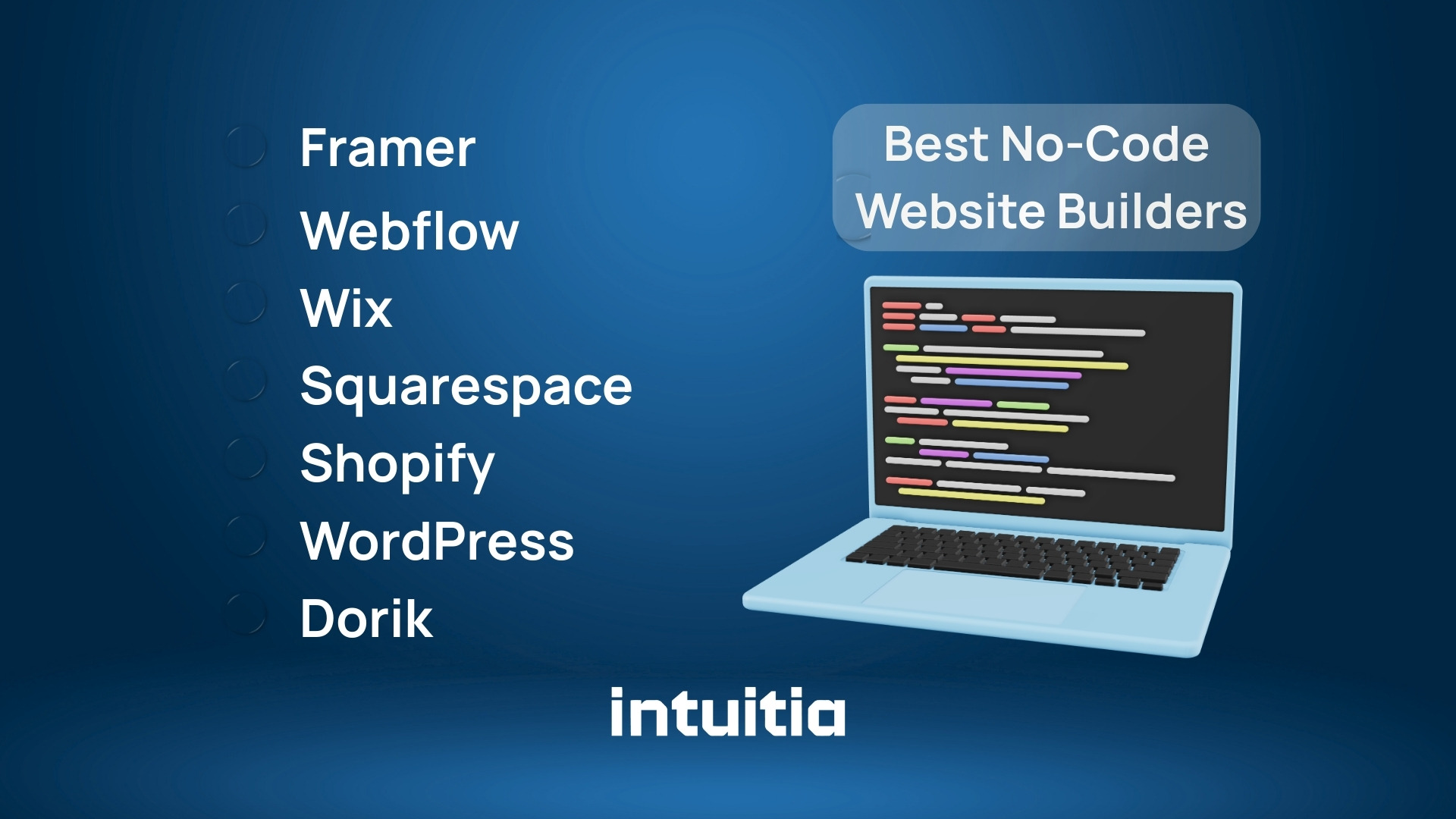
Each builder below serves different needs. We tested them all to help you pick the right one.
Framer combines design flexibility with powerful AI tools to create interactive websites. It offers smooth animations, a built-in CMS, and responsive layouts that adapt to any screen size.
Key features:
Pros:
Cons:
Best for: Design-forward brands, SaaS landing pages, and creative portfolios that need custom animations without writing code.
Framer simplified pricing in 2025 to three tiers. The Pro plan ($30/month) adds staging, roles, and multiple locales for growing teams.
Webflow gives you complete control over every pixel. The visual editor uses CSS Grid and Flexbox, making it perfect for web designers who want professional results without touching code.
Key features:
Pros:
Cons:
Best for: Professional web designers, UI/UX design agencies, and businesses needing advanced customization beyond basic templates.
The platform powers over 493,000 live websites globally. Annual billing saves up to 22% compared to monthly payments.
Design.com is a website builder built around the idea that your site and your brand should feel like one cohesive thing. You start with a business name or a short description, and the platform generates a complete, publish-ready website from a library of 3,000+ professionally designed templates. Everything from your logo to your layout can live under one roof.
Key features:
Pros:
Cons:
Best for: Entrepreneurs, small business owners, and freelancers who want a professional, branded website to go live as quickly as possible, with no technical setup or design experience required.
Design.com sits inside a broader branding suite that includes logo creation and marketing asset tools. The annual plan brings the cost down to $6/month, saving 33% compared to monthly billing, with hosting always included.
Wix makes building a website incredibly easy with its drag-and-drop interface. You can place elements anywhere on the page, and the ai website builder creates personalized designs in minutes.
Key features:
Pros:
Cons:
Best for: Small business owners, bloggers, and anyone wanting to create a website quickly without technical skills or coding experience.
Wix powers over 13% of US-based websites. The platform introduced Astro, an AI business assistant, in April 2025 to help with content and design decisions.
Squarespace delivers beautiful templates optimized for content. The platform includes powerful blogging tools, built-in analytics, and strong SEO features to help your website rank higher.
Key features:
Pros:
Cons:
Best for: Content creators, photographers, and businesses prioritizing design quality and search engine optimization for their online presence.
Squarespace launched Refresh 2025 with 60+ new tools. The platform helps you create a professional website with minimal effort while maintaining clean, responsive design across devices.
Shopify specializes in online store creation. The platform handles everything from inventory management to payment processing, making it the best choice for selling products without writing any code.
Key features:
Pros:
Cons:
Best for: Online stores, dropshipping businesses, and brands scaling from small shops to enterprise operations with complex inventory needs.
Shopify powers 4.6 million websites worldwide. The platform added AI Sidekick in December 2025 to help customize themes and automate store management tasks.
WordPress.com offers the power of the world's most popular CMS without server management. You get access to thousands of plugins and themes while the platform handles hosting and security.
Key features:
Pros:
Cons:
Best for: Bloggers, content marketing agencies, publishers, and businesses needing extensive customization through plugins rather than built-in features.
WordPress powers 43.4% of all websites. The platform combines no-code and low-code approaches, letting you start simple and add complexity as needed.
Dorik focuses on speed and white-label capabilities. Agencies can build client websites fast, remove branding, and offer custom billing without platform restrictions.
Key features:
Pros:
Cons:
Best for: Freelancers, staff augmentation teams, and agencies managing multiple client projects with tight deadlines and budget constraints.
Dorik offers better value than Wix for multi-site operators. The platform saves users 240 dollars yearly by choosing annual billing over monthly payments.
CodeDesign.ai uses artificial intelligence to generate complete websites in under one minute. You describe your project, and the platform creates a fully functional website with content and design.
Key features:
Pros:
Cons:
Best for: Entrepreneurs testing ideas, MVP development, and anyone needing a simple website live within hours rather than days or weeks.
CodeDesign.ai represents the future of no-code website builders in 2026. The ai website builder handles design decisions automatically while you focus on content and business strategy.
Carrd specializes in one-page websites at incredibly low prices. At $9 per year, it offers the most affordable option for simple landing pages and personal portfolios.
Key features:
Pros:
Cons:
Best for: Personal portfolios, event pages, bio links, and anyone needing a simple website without complexity or ongoing costs.
Carrd proves you do not need expensive tools to get a website live. The platform focuses on doing one thing well rather than offering every feature.
Adalo creates both websites and native mobile apps from a single builder. The platform publishes directly to the App Store and Google Play Store without requiring coding skills.
Key features:
Pros:
Cons:
Best for: Startups building mobile-first products, SaaS companies needing apps, and entrepreneurs turning their idea to app without hiring developers.
Adalo bridges the gap between website builders and app builders. The platform helps you create functional tools rather than static websites.
Bubble deserves recognition as a powerful low-code platform for building web applications with databases, user authentication, and complex workflows. While it requires more technical understanding than true no-code builders, Bubble enables you to create SaaS products, internal tools, and data-driven applications without traditional coding.
What makes Bubble special:
Companies use Bubble to build marketplace platforms, booking systems, and CRM tools that would typically require custom development. The learning curve is steeper than drag-and-drop builders, but the functionality rivals custom-coded applications. If you need more than a marketing website and want to build actual software, Bubble bridges the gap between no-code simplicity and development power.
Here is what works best for different needs:
Most platforms let you create a website for free initially. Paid plans add custom domain, remove branding, and unlock advanced features for professional websites.

For portfolios: Squarespace or Framer give you beautiful templates and smooth animations to showcase creative work effectively.
For blogs: WordPress.com or Squarespace offer the best content management with SEO tools and scheduling features built-in.
For online stores: Shopify handles complex inventory while Squarespace works for smaller catalogs with simpler needs.
For agencies: Dorik provides white-label options and fast client site creation without platform branding or limitations.
For startups: Framer or Webflow scale from MVP to production without migrating platforms as you grow.
For personal sites: Carrd gives you everything needed for a simple website at the lowest possible cost.
For web apps: Adalo or Webflow handle interactive features and user authentication without custom development.
The best builder depends on what type of website you need. Most professionals use different platforms for different projects rather than sticking to one tool.
Artificial intelligence changed website building dramatically in 2025. These platforms use ai to generate layouts, write content, and optimize designs automatically. In 2026, AI has become table stakes rather than a luxury feature.
Top AI-powered builders:
How AI website builders work:
Most modern no-code platforms now integrate AI at multiple levels. You can generate entire page layouts from descriptions, create content for specific sections, optimize images automatically, and receive design suggestions based on your industry. The AI analyzes your inputs and creates designs that match current web standards without requiring design knowledge.
Performance and limitations:
AI website builders save 70% of setup time compared to manual design. Users report that 85% of AI-generated content needs only minor edits before publishing. However, AI works best for straightforward projects like marketing sites, portfolios, and simple online stores.
Complex web applications with custom logic, unique user flows, or specialized functionality still benefit from human design decisions. The technology excels at solving common problems but struggles with highly specific or innovative requirements. Most professionals use AI to handle routine tasks while focusing their creativity on unique elements.
When to use AI builders:
Choose AI-powered platforms when you need speed over absolute customization, have a common business model that AI understands, want to test ideas quickly before investing heavily, or lack design experience but need professional results. The technology works particularly well for landing page design and standard business websites.
For projects requiring pixel-perfect brand expression or innovative user experiences, consider working with experienced designers who can guide AI tools toward your specific vision.
Every major platform offers a free plan or trial. But the limitations matter for professional use.
Free plans work for testing and hobby projects. But you need paid plans to create a professional website with your own branding and full customization.
The average small business spends between $500-$1,000 yearly on website builder subscriptions. This includes domain, hosting, and platform fees combined into predictable monthly costs.
Annual billing saves 10-30% compared to monthly payments across all platforms. Most website builder tools offer discounts during Black Friday and seasonal sales events.
Many users pick the wrong platform and regret it months later. Here are the biggest mistakes to avoid.
Choosing based only on price: The cheapest option often lacks features you need later. Calculate total costs including apps, storage upgrades, and transaction fees before committing.
Ignoring SEO limitations: Some builders restrict meta tags, URL structure, or schema markup. If search rankings matter, test SEO capabilities during the free trial period.
Not checking scalability: Beautiful templates do not guarantee your website handles growth. Ask if the platform supports more pages, traffic, and integrations as you expand.
Overlooking performance: Page speed affects both user experience and search rankings. Test mobile loading times before launching to avoid losing visitors to slow sites.
Platform lock-in: Closed platforms make migration difficult. Check if you can export content and move to another builder without starting from scratch completely.
Studies show 40% of users outgrow their first no-code builder within two years. Another 43% discover feature limitations only after committing to annual plans and losing refund windows.
Free plans typically restrict 80-90% of advanced features. Make sure you understand upgrade costs before building your entire website on limited functionality.
Follow this framework to pick the best platform for your needs:
Define your website type first: Different builders excel at different projects. Online stores need Shopify, while blogs work better on WordPress or Squarespace.
Test the editor interface: Spend 30 minutes in each free trial. If the drag-and-drop interface feels confusing, you will struggle throughout the entire website building process.
Check template quality: Browse available website templates before signing up. Templates set your design foundation and switching later wastes time rebuilding everything.
Verify integration needs: List tools you use for email marketing, payments, analytics, and customer management. Confirm your builder connects to these services easily.
Calculate true costs: Add up platform fees, domain registration, premium templates, apps, and bandwidth overages. Compare total yearly expenses across platforms.
Review export options: Ask if you own your data and code. Can you move to another platform or self-host later without losing your work completely?
Consider learning resources: Check if the platform provides documentation, video tutorials, and community forums. Good support saves hours when you hit problems.
Most professionals recommend trying three builders side by side. Create the same simple page on each platform to compare workflow and output quality directly.
For most users: Framer offers the best combination of ease of use, design flexibility, and modern features. The platform works for landing pages, portfolios, and business sites without limiting creativity or requiring coding knowledge.
For beginners: Start with Wix if you want the easiest experience with maximum template choices and helpful ai assistance throughout the building process.
For serious ecommerce: Choose Shopify when selling products is your primary goal. The platform handles inventory, payments, and shipping better than any general website builder available.
For designers: Pick Webflow if you need complete control over layout, typography, and interactions. The learning curve pays off through professional results matching custom development quality.
For content creators: Go with Squarespace or WordPress.com depending on whether you prioritize design beauty or plugin flexibility for your publishing workflow.
The no-code website builder market continues growing as platforms add ai capabilities and better customization. You can build professional websites faster than ever without writing a single line of code.
Need help designing a custom website beyond what no-code platforms offer? Intuitia's design team creates tailored digital experiences that scale with your business growth.
Is a no-code website builder better than WordPress?
No-code builders work better for beginners wanting quick results without managing hosting or updates. WordPress offers more flexibility through plugins but requires technical knowledge. Choose no-code for simplicity and WordPress for control.
Can I switch no-code website builders later without losing SEO?
Switching platforms risks losing search rankings temporarily. Preserve SEO by maintaining URL structures, redirecting old pages with 301 redirects, and keeping content similar. Export your sitemap before migrating. Platforms with code export like Webflow make migration easier than closed systems.
Do no-code website builders support custom code if needed?
Most platforms like Webflow, Framer, and Wix let you add custom HTML, CSS, and JavaScript through embed blocks. This helps integrate third-party tools without leaving the platform.
Are no-code websites secure for business use?
Reputable builders include SSL certificates, automatic security updates, and data encryption. They handle security patches faster than self-hosted options. Check if your builder meets compliance requirements for your industry.
Can no-code website builders handle high traffic websites?
Most platforms scale automatically for traffic spikes. Webflow, Shopify, and Squarespace use CDNs to manage millions of monthly visitors. However, bandwidth limits increase costs on higher tiers.
Which no-code website builder is best for multilingual websites?
Webflow offers the most robust localization with separate URLs per language. Framer charges extra for additional locales. Wix includes basic multilingual support through apps. Budget $20-80 monthly per extra language.
Do no-code website builders allow full website ownership?
You own your content and data, but not the underlying code or infrastructure. Some builders like Webflow let you export clean HTML and CSS. Others keep you on their hosting permanently.
How long does it take to build a website using a no-code builder?
Simple websites take 2-8 hours from template selection to launch. Complex sites with ecommerce need 20-40 hours. AI website builders like CodeDesign.ai create basic sites in under 60 seconds.
Are no-code website builders suitable for startups and SaaS products?
Yes, many successful companies start on no-code platforms for MVP development and validation. Framer and Webflow excel at SaaS websites. You can migrate to custom development later as you scale.
What are the limitations of no-code website builders compared to custom development?
No-code platforms limit advanced functionality like complex dashboards, real-time features, or unique workflows. They also create vendor lock-in and ongoing subscription costs. Custom development offers complete control but costs 10-50x more upfront. For complex web applications, consider custom development services.


.svg)







.svg)