

The idea of learning UX design from scratch sounds exciting. But it can also feel overwhelming.
You might be wondering if you need a design degree. Maybe you are worried about your lack of technical skills. Perhaps you feel lost about where to even start.
Here is the truth: over 62% of current UX professionals switched careers to enter this field. They came from nursing, teaching, law, biology, and countless other backgrounds. Most taught themselves through online resources and structured learning. No design degree required.
The challenge is not whether you can learn UX design. The challenge is knowing how to learn it the right way. Without a clear roadmap, you risk wasting months on the wrong skills or tools. You might build a portfolio that hiring managers ignore.
This guide gives you a complete step-by-step path to learn UX design from beginner to job-ready. You will discover what to learn first, which tools matter most, how to practice effectively, and how to build a portfolio that gets you hired.
UX design stands for user experience design. It focuses on how people feel when using a product or service.
A UX designer solves real problems for real users. You research how people think and behave. You design interfaces that make tasks easy and enjoyable. You test your designs with actual users and improve based on their feedback.
The daily work includes several key activities. You conduct user interviews to understand pain points. You analyze data to find patterns in user behavior. You create wireframes and prototypes to visualize solutions. You run usability tests to validate your ideas. You collaborate with developers and product managers to bring designs to life.
UX vs UI: What's The Difference?
Many beginners confuse UX with UI (user interface) design. Think of it this way:
A product can have beautiful UI but terrible UX. Imagine a gorgeous app that makes users struggle to complete basic tasks. Conversely, great UX with poor UI still works but might not feel engaging.
Most companies now look for designers who understand both. However, mastering UX design principles should come first.
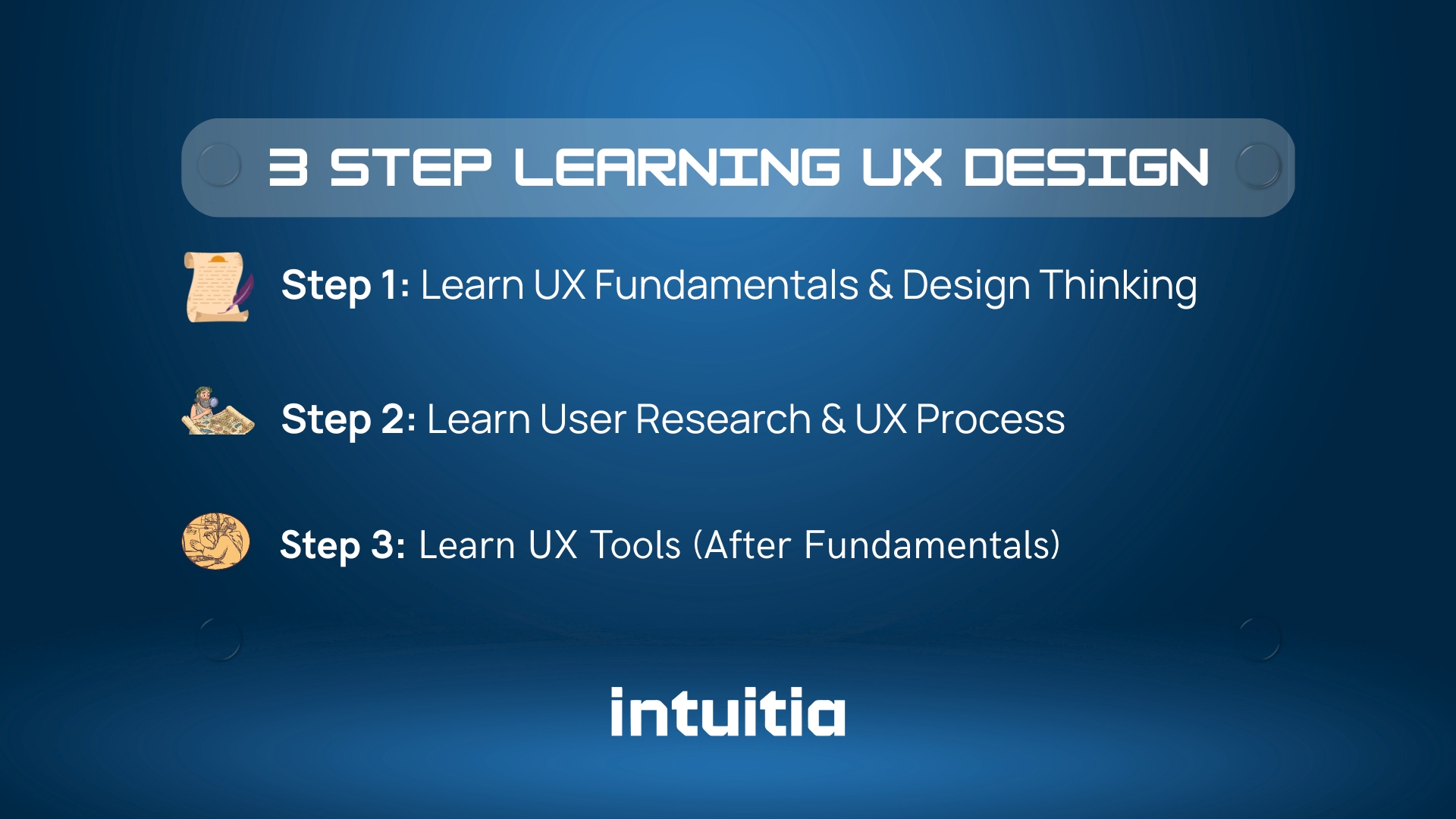
Learning UX design works best when you follow a logical sequence. Skip the temptation to jump straight into tools like Figma.
Start with understanding before doing. Master thinking before clicking.
Begin with the conceptual foundation. Understand what makes good UX and why it matters.
Focus on these core concepts first:
Read case studies from companies like Airbnb, Spotify, and Duolingo. Study how they solved real user problems. Notice how they explain their thinking process, not just their final designs.
This foundation usually takes 2-4 weeks to grasp. You do not need perfection. You need enough understanding to move forward confidently.
Research separates real UX designers from people who just make things look nice.
Why Research Matters First:
Every good design decision starts with understanding users. You cannot solve problems you do not understand. Research reveals what people actually need versus what they say they want.
Key research methods to learn:
Learn the difference between market research vs user research. Market research looks at business opportunities and competition. User research focuses specifically on user behaviors, needs, and motivations.
Practice these skills early. Interview friends about their frustrations with everyday apps. Conduct a small usability test on a website you use regularly. Document what you learn.
Spend 4-6 weeks building research confidence. This skill will set you apart from designers who skip straight to visuals.
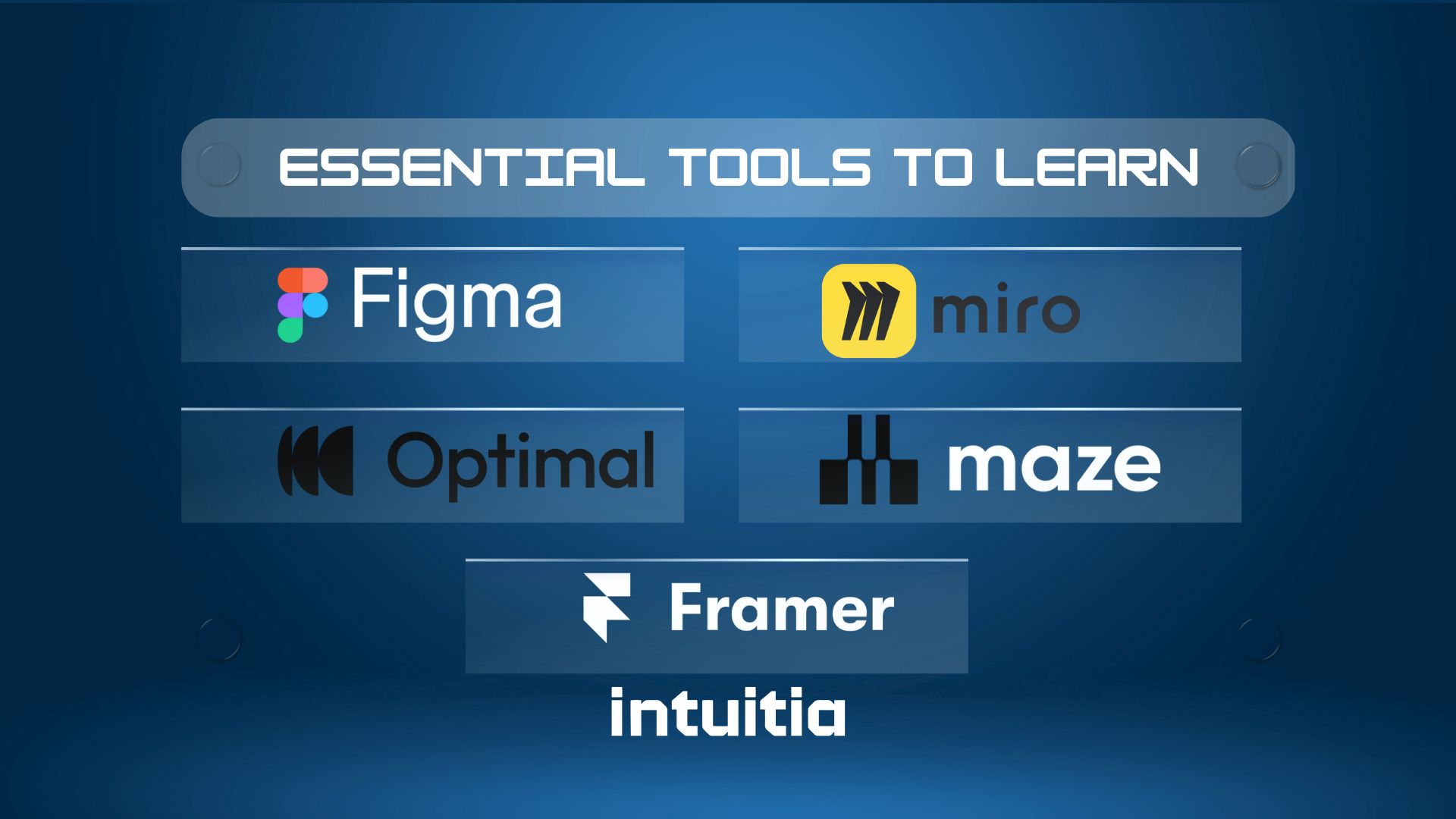
Only now should you dive into design tools. You have the thinking foundation. Time to execute.
The 2026 Tool Reality:
The design industry evolved. Companies no longer hire tool users. They hire problem solvers who know which tools create the right impact.
Start with Figma for system logic. This is where you learn the rules. If you cannot structure a layout with Auto Layout or define reusable components, you are not ready to build. Figma teaches you systematic thinking. 72% of UX professionals use it for wireframing, prototyping, and team collaboration.
Advance with Framer for market impact. Good enough is not enough anymore. Framer handles what Figma cannot: advanced SEO, content management systems, and high-fidelity motion design. It brings real interaction, smooth animations, and production-ready behavior to your designs. Learning both tools together builds a complete skill set for modern, no-code, interactive workflows.
At Intuitia, we work with both Figma and Framer daily. The combination lets us deliver structured design systems and interactive, market-ready experiences.
Additional Tools Worth Learning:
Begin with Figma. It is free, industry-standard, and packed with tutorials. Learn basic wireframing before complex prototyping. Master low-fidelity designs before high-fidelity mockups. Then add Framer to your toolkit when you are ready for interactive, production-level work.
Tools change constantly. New AI-powered options emerge each month. The principles you learned in Steps 1 and 2 remain timeless. Focus on becoming a strategist who knows which engine to use for each problem.
Allocate 4-6 weeks to develop comfortable proficiency in Figma. Add another 3-4 weeks for Framer basics. You do not need expert-level mastery yet. You need enough capability to express your ideas visually and interactively.
UX design sits in an interesting middle ground. It is easier than learning to code but harder than using basic design tools.
The good news: UX design does not require advanced math. You do not need programming skills to start. Unlike traditional design fields, you do not need years of art training.
What Makes UX Design Approachable:
UX relies heavily on thinking skills you already have. Empathy, problem solving, and logical reasoning matter more than artistic talent. You can learn the fundamentals in weeks rather than years. Free and affordable resources exist everywhere online.
The Real Challenges:
Learning to think like a designer takes practice. You need to understand human psychology and behavior patterns. Research skills require patience and attention to detail. Accepting and learning from user feedback can feel uncomfortable at first.
According to industry data, bootcamp graduates take around six months to become job-ready. Self-taught designers often need closer to 12 months. The timeline depends on how much time you invest each week.
Compared to learning web development, UX design has a gentler learning curve. You spend less time debugging code and more time understanding people. The creative problem solving feels more accessible to beginners.
The honest answer: it depends on your starting point and time commitment.
Most career switchers follow this general timeline to reach job readiness:
These timelines are approximate. Your actual learning speed varies based on prior design experience, daily practice time, and natural aptitude. Someone with a UI background may progress 30% faster. Complete beginners might need extra time to grasp core concepts and build hands-on confidence.
A 2024 study found that bootcamp graduates secure entry-level roles 50% faster than purely self-taught candidates. The average is about six months with structured learning.
Can you learn UX in one month? You can grasp the basics. But you will not be job-ready. Employers want to see real project experience and problem-solving skills. That depth takes time to develop.
The UX job market is projected to grow 18% in 2025. Entry-level designers earn around $75,000 annually in the United States. Mid-level professionals make approximately $90,000. These numbers make the time investment worthwhile.
Set realistic expectations. Plan for at least six months of dedicated learning if you have 15-20 hours per week. Double that timeline if you can only commit 5-10 hours weekly.
You have multiple paths to learn UX online. Each has trade-offs.
Self-Learning (Free or Low Cost):
Platforms like Coursera, YouTube, and Interaction Design Foundation offer quality content. You learn at your own pace. You pay very little or nothing.
The challenge: you need strong self-discipline. No one holds you accountable. No structured deadlines push you forward. You might feel isolated without peers.
Bootcamps (Paid, Structured):
Programs like Springboard or CareerFoundry provide a comprehensive curriculum. You get mentorship, peer community, and career support. Many guarantee job placement.
The cost: $7,000 to $15,000 typically. Time commitment is intense, often 20-30 hours weekly for 3-6 months.
Online Courses (Mid-Range):
Individual courses from platforms like Udemy or LinkedIn Learning cost $20 to $200. You get structured learning without bootcamp intensity.
Consider what fits your situation:
Data shows 82% of bootcamp graduates secure employment within three months. Self-taught designers take longer but save significantly on costs.
Choose based on your learning style, not what others recommend. Some people thrive with independence. Others need external structure to stay consistent.
Learning theory means nothing without practice. Your projects prove you can apply knowledge to real problems.
Start With Problem-First Projects:
Never begin with "I want to design a food delivery app." Start with "Users struggle to find healthy meal options when busy." The problem guides the design.
Practice project ideas for beginners:
The best practice comes from real constraints. Talk to actual users about their problems. Design for them specifically. Test your solutions with them.
Document Your Process Thoroughly:
Hiring managers care more about your thinking than your final screens. Capture everything:
Create 2-3 comprehensive case studies rather than 10 shallow ones. Quality beats quantity every single time.
Spend at least 3-4 months building real projects. Each major project should take 3-6 weeks minimum. Rushing produces weak portfolio pieces.
Your portfolio is your ticket to interviews. It matters more than your resume.
Focus on these elements:
Show Your Process, Not Just Pretty Screens:
88% of users will not return to a website after a bad experience. Companies know this. They hire designers who prevent bad experiences through solid process.
Your case studies should reveal:
Include sketches, rough wireframes, and failed ideas. This proves you think critically, not just copy patterns from Dribbble.
Portfolio Essentials Checklist:
Avoid these common mistakes: showing only final designs, using made-up metrics, copying existing apps without clear improvement rationale, and being overwhelmed with too many projects.
For a professional presentation of your work, consider how top UX design companies structure their case studies. Study their storytelling approach.
Your portfolio proves you can do the job. Make it impossible for hiring managers to ignore your thinking process.
Let's address the elephant in the room. Will AI tools replace UX designers?
Short answer: No. But AI will change what UX designers do daily.
What AI Can Do Now:
71% of UX professionals believe AI and machine learning will shape the future of UX. Tools like ChatGPT help generate ideas faster. AI can create initial wireframes from descriptions. It analyzes user data at scale better than humans.
What AI Cannot Replace:
AI lacks genuine empathy and emotional intelligence. It cannot conduct nuanced user interviews or read body language. It struggles with strategic thinking about business goals versus user needs. AI cannot make ethical decisions about design trade-offs.
The skills that remain human-centered:
Think of AI as a powerful assistant, not a replacement. You will use AI to work faster and explore more options. But you still provide critical thinking, empathy, and judgment.
56% of businesses now integrate AI in user research to analyze behavioral patterns. Learning to work alongside AI tools becomes part of modern UX skills.
Your job security comes from mastering the human elements AI cannot replicate. Focus on research, strategy, and communication skills.
You are investing significant time and possibly money. Will it pay off?
The Positive Indicators:
The UX job market is projected to grow 18% in 2025. This outpaces most other professions. Entry-level designers earn around $75,000 annually in the United States. Senior UX designers make approximately $110,000 or more.
67% of enterprises consider UX a key competitive differentiator. Companies realize bad UX costs them customers. A well-designed user interface can increase conversion rates by up to 200%. Better UX design can boost conversions by 400%.
The Reality Check:
Junior UX roles face more competition now than in previous years. The 2023 tech layoffs affected hiring. Entry-level positions require stronger portfolios than before.
However, 70% of companies plan to hire at least one UX position in 2025. The Nielsen Norman Group predicts over 100 million UX professionals worldwide by 2050, up from around one million currently.
Long-Term Career Benefits:
UX skills apply across industries. Every company with digital products needs UX expertise. You can work in healthcare, finance, education, entertainment, or startups.
Remote work opportunities remain strong. Many UX roles offer flexibility. You can freelance, join agencies, or work in-house at companies.
Continuous learning keeps your career fresh. UX evolves with technology. You will never feel bored by repetitive work.
The field rewards both specialists and generalists. You can focus deeply on research, or you can develop broader product design skills.
Is it worth it? If you enjoy solving problems, understanding people, and creating better experiences, absolutely. The demand exists. The salaries are competitive. The work remains engaging.
Avoid these pitfalls to accelerate your learning.
Jumping Straight to Tools: Many beginners open Figma on day one. They skip understanding users and research methods. This produces designs that look nice but solve nothing. Always learn the why before the how.
Copying Without Understanding: Replicating Dribbble designs teaches you interface patterns. It does not teach you problem solving. Study why solutions work, not just what they look like.
Ignoring User Research: Designing based on assumptions feels faster. But it wastes time building wrong solutions. Talk to real users early and often. Research saves you from expensive mistakes.
Building Too Many Shallow Projects: Ten half-finished app concepts impress no one. Two deeply documented case studies with real user testing beat quantity every time.
Expecting Perfection Immediately: Your first projects will feel rough. That is normal. Every designer starts with awkward work. Progress comes from consistent practice, not waiting until you feel ready.
Neglecting Communication Skills: UX designers spend more time explaining decisions than making them. Practice articulating your thinking. Write clear case studies. Present your work to others.
Following Only One Learning Path: Relying solely on video tutorials or only reading articles limits your growth. Mix learning methods. Watch videos, read articles, do hands-on projects, and join communities.
Forgetting the Business Context: Users matter most. But your designs also need to support business goals. Understand how UX impacts conversion rates, retention, and company success.
Awareness prevents these mistakes. Course-correct quickly when you notice yourself falling into these patterns.
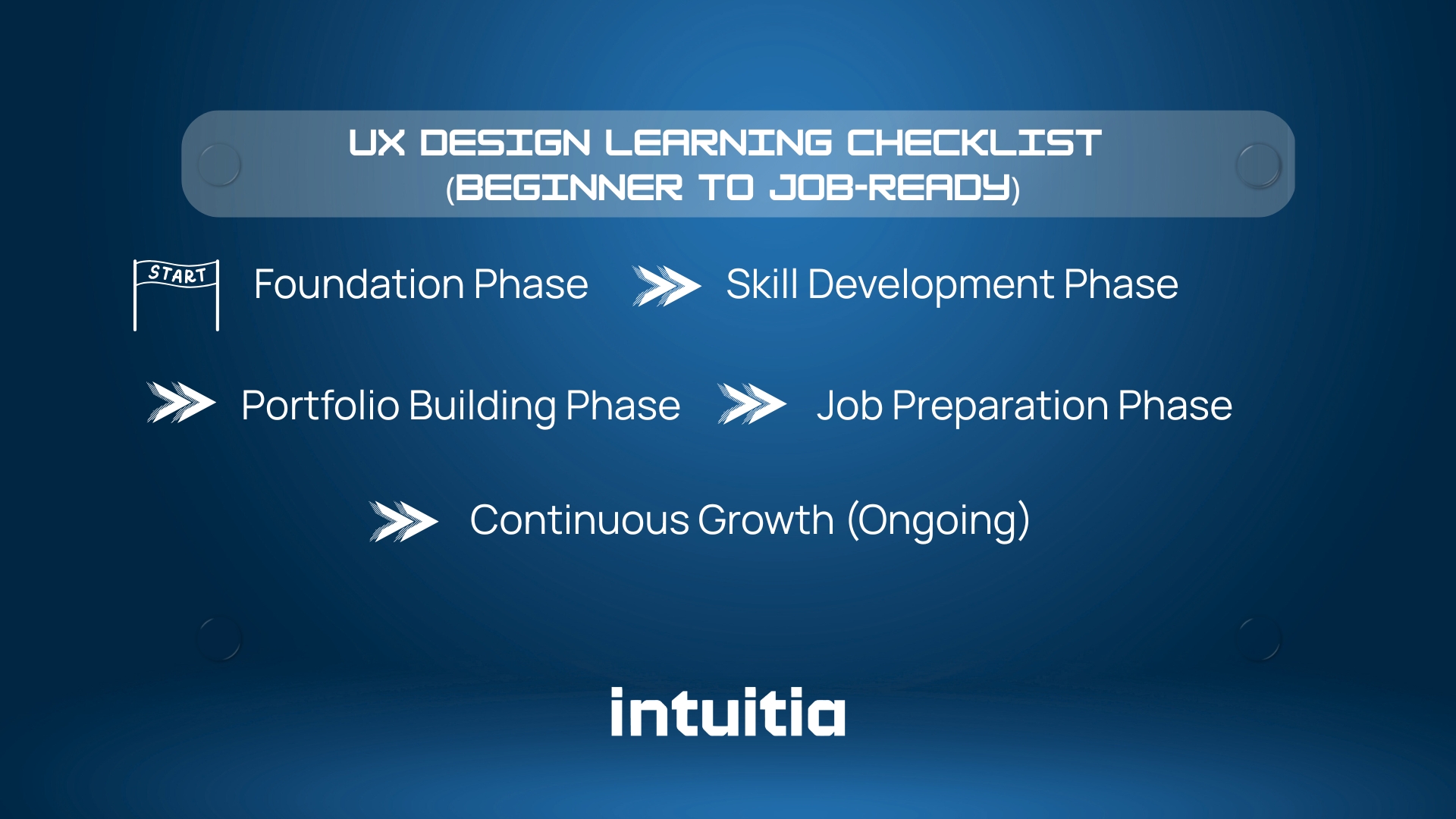
Use this checklist to track your progress from beginner to job-ready.
Foundation Phase (Months 1-3):
Skill Development Phase (Months 3-6):
Portfolio Building Phase (Months 6-9):
Job Preparation Phase (Months 9-12):
Continuous Growth (Ongoing):
Everyone progresses at different speeds. This checklist provides guideposts, not rigid rules. Focus on genuine skill development over checking boxes quickly.
You now have a complete roadmap from beginner to job-ready UX designer.
The path forward is clear. Start with UX fundamentals and design thinking. Move to user research and understanding the process. Only then dive into tools like Figma. Practice with real projects that solve actual problems. Build a portfolio showing your thinking, not just your screens.
The journey takes 6-12 months of consistent effort. That might feel long. But this timeline leads to a career with growing demand, competitive salaries, and meaningful work.
62% of current UX professionals came from other fields. They started exactly where you are now. No design degree. No technical background. Just curiosity and commitment to learning.
Your first step: spend the next week learning UX fundamentals. Read case studies from companies you admire. Watch free introductory videos on design thinking. Start noticing good and bad user experiences in apps you use daily.
Then complete your first small research project. Interview three people about a problem they face. Document what you learn. That simple exercise will teach you more than any tutorial.
The UX industry needs diverse perspectives. Your unique background brings value others cannot offer. Whether you came from nursing, teaching, engineering, or any other field, your experiences inform how you understand users.
Start today. Take that first small step. The path to becoming a UX designer begins with deciding to learn, not with having all the answers.
Can I learn UX design without a degree?
Yes. 62% of UX professionals switched careers without UX-specific degrees. Hiring managers prioritize portfolios and practical experience over formal education. A strong portfolio demonstrating your process matters more than credentials.
How much does it cost to learn UX design?
Free to $15,000 depending on your path. Self-taught learning costs $0 to $50 monthly for resources. Online courses range from $200 to $1,000. Bootcamps typically cost $7,000 to $15,000. University degrees exceed $40,000 but are usually unnecessary.
Is UX design harder than UI design?
Different, not harder. UX requires strong research, problem-solving, and strategic thinking skills. UI focuses more on visual design, typography, and aesthetics. Most roles now expect both skill sets, but UX provides the foundation.
Do I need coding skills to learn UX design?
No. UX design focuses on user research, problem solving, and creating wireframes and prototypes. Basic HTML and CSS knowledge helps you communicate with developers, but programming is not required to start or succeed.
Can I switch to UX design from a non-design background?
Absolutely. Most UX designers came from other fields including nursing, teaching, marketing, engineering, and law. Transferable skills like empathy, communication, and analytical thinking apply directly to UX work.
How many projects should a beginner UX portfolio have?
2-3 comprehensive case studies beat 10 shallow ones. Quality matters more than quantity. Each project should demonstrate your complete process: research, ideation, design, testing, and iteration.
Is UX design worth learning in 2026?
Yes, if you enjoy solving problems and understanding people. The UX job market is projected to grow 18% in 2025. Entry-level salaries average $75,000 annually. However, competition for junior roles has increased, requiring stronger portfolios.
Can I get a UX job by self-learning only?
Yes, but it takes longer than bootcamps. Bootcamp graduates are 50% more likely to secure roles within six months. Self-taught designers typically need 9-12 months to become job-ready. Both paths work with dedication.
What skills are most important for beginner UX designers?
User research, empathy, problem solving, and communication rank highest. You need to understand users deeply, identify their pain points, create effective solutions, and explain your thinking clearly to stakeholders.
How do I know if UX design is right for me?
Try it first. Conduct a small research project. Interview people about problems they face. Create a simple wireframe solution. If you enjoy understanding people, solving problems creatively, and iterating based on feedback, UX likely fits you well.



.svg)








.svg)